 LINKINFO
Pelican brings together in a single window everything you need to develop with Claude: the conversation with Claude Code, a real editor, terminals, Git, your databases and your servers. It works just as well on a project on your Mac as directly on a server, over SSH: a feature often reserved for paid versions of code editors, free in Pelican. Pelican is free; only Claude Code requires a Claude subscription.
What Pelican does
Claude at the core
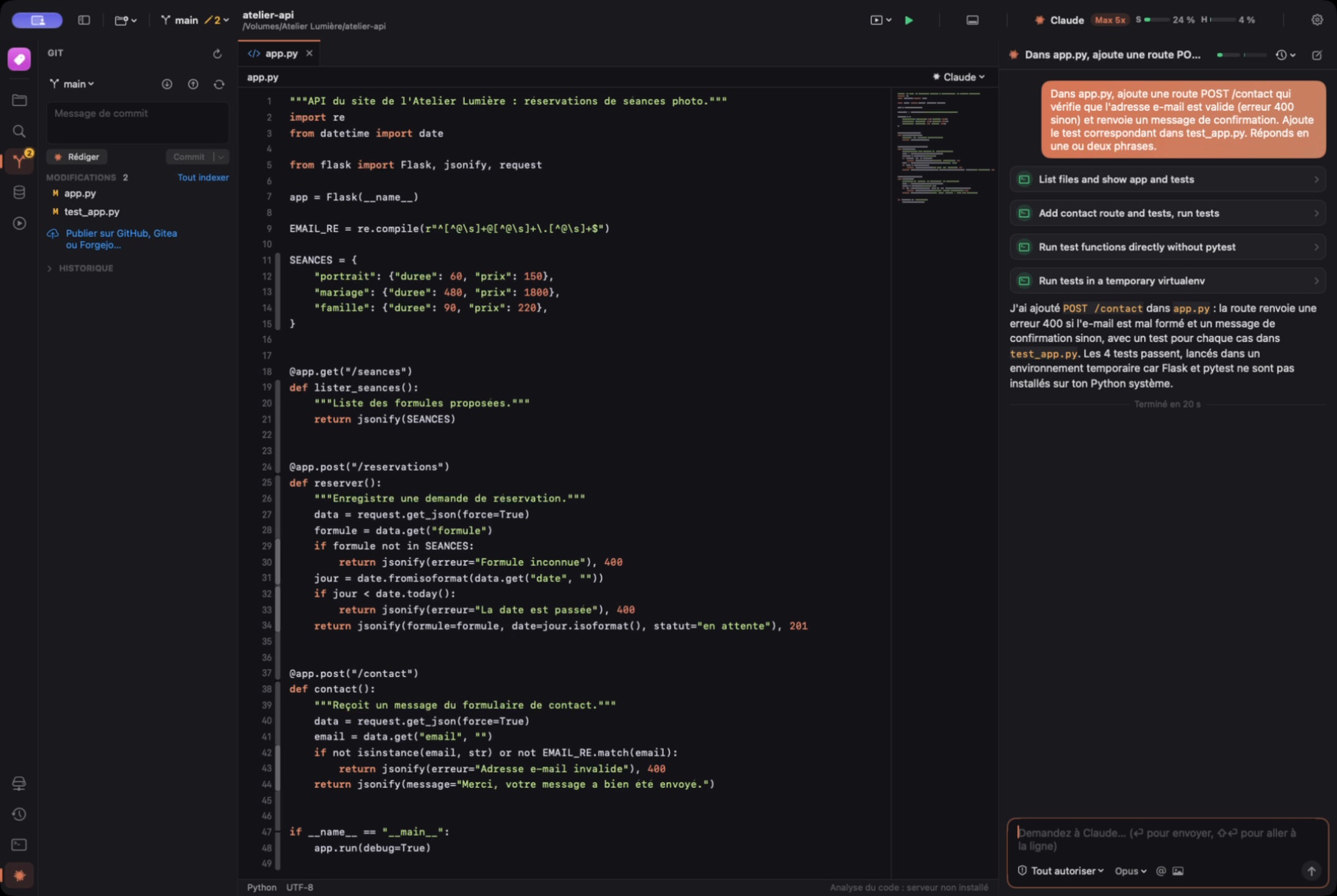
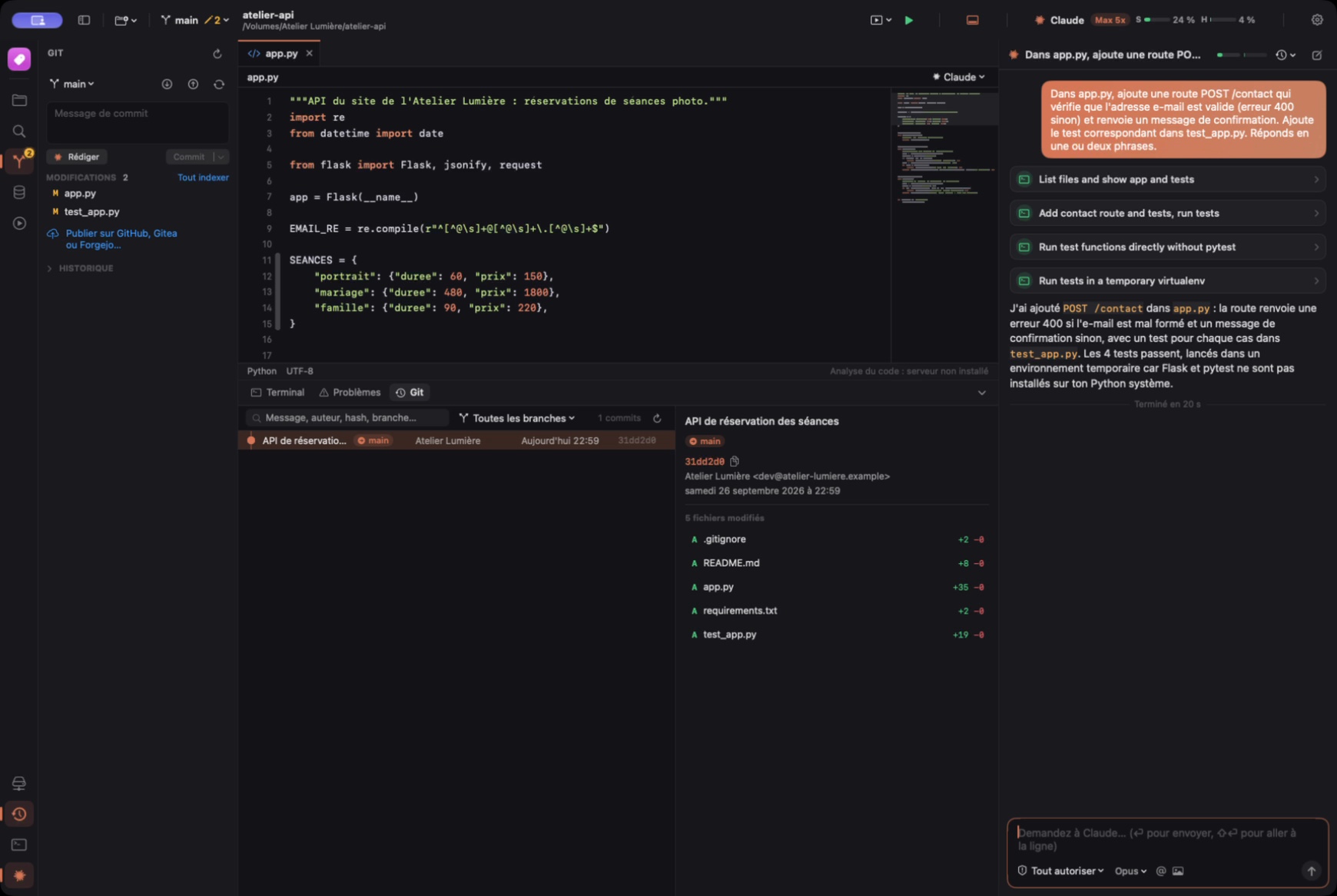
The conversation with Claude Code, right next to your code, with permissions under control.
- Live responses, showing the files Claude reads, the commands it runs and the changes it proposes.
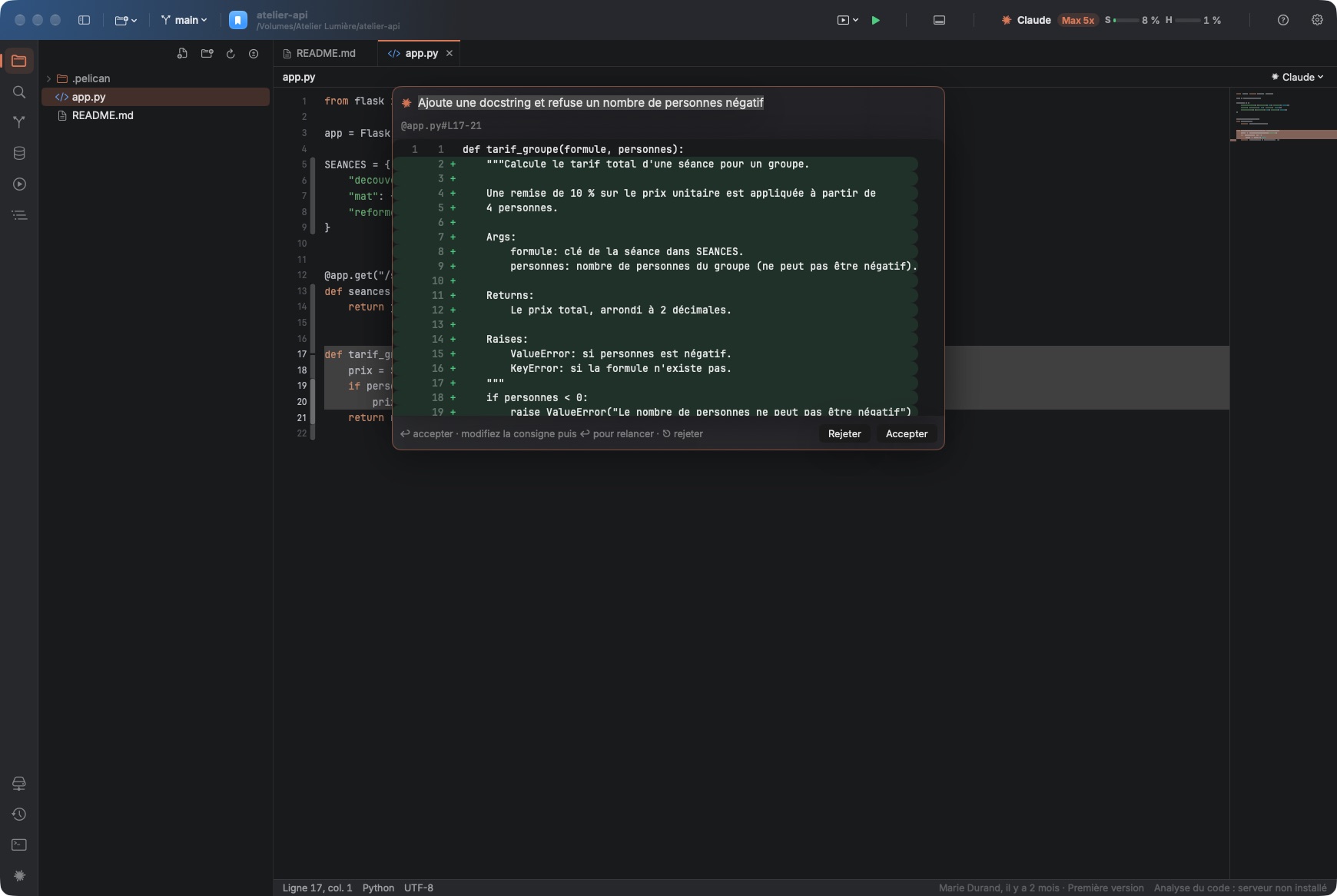
- Edit with Claude (⌘K): select some code and describe the change; the proposal appears as a diff, to accept with one key or retry with different instructions. With no selection, Claude writes code at the cursor.
- Four ways to work: approve everything manually, accept file edits, plan mode (Claude proposes before acting) or auto mode.
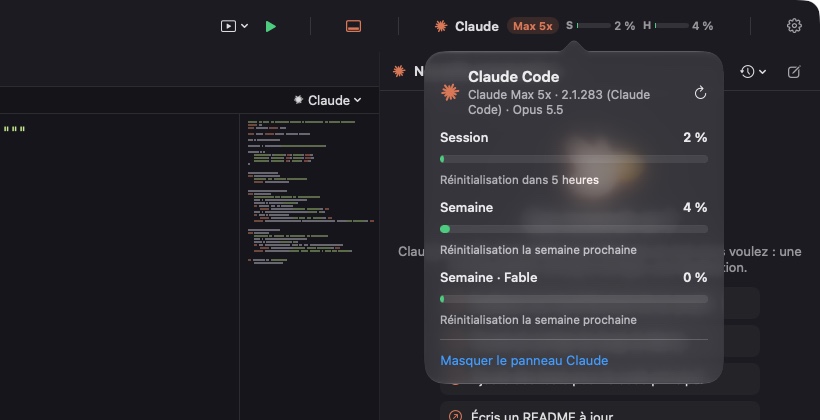
- Claude subscription tracking: your plan (Pro, Max…) and two gauges in the toolbar, for the 5-hour session and for the week; one click shows the details, with the reset time of each limit, the Claude Code version and the model in use.
- Choice of model and thinking effort, remembered for each project.
- Images: attach, drag or paste a screenshot into the conversation.
- A Claude Code terminal tab opens with the project for those who prefer the command line.
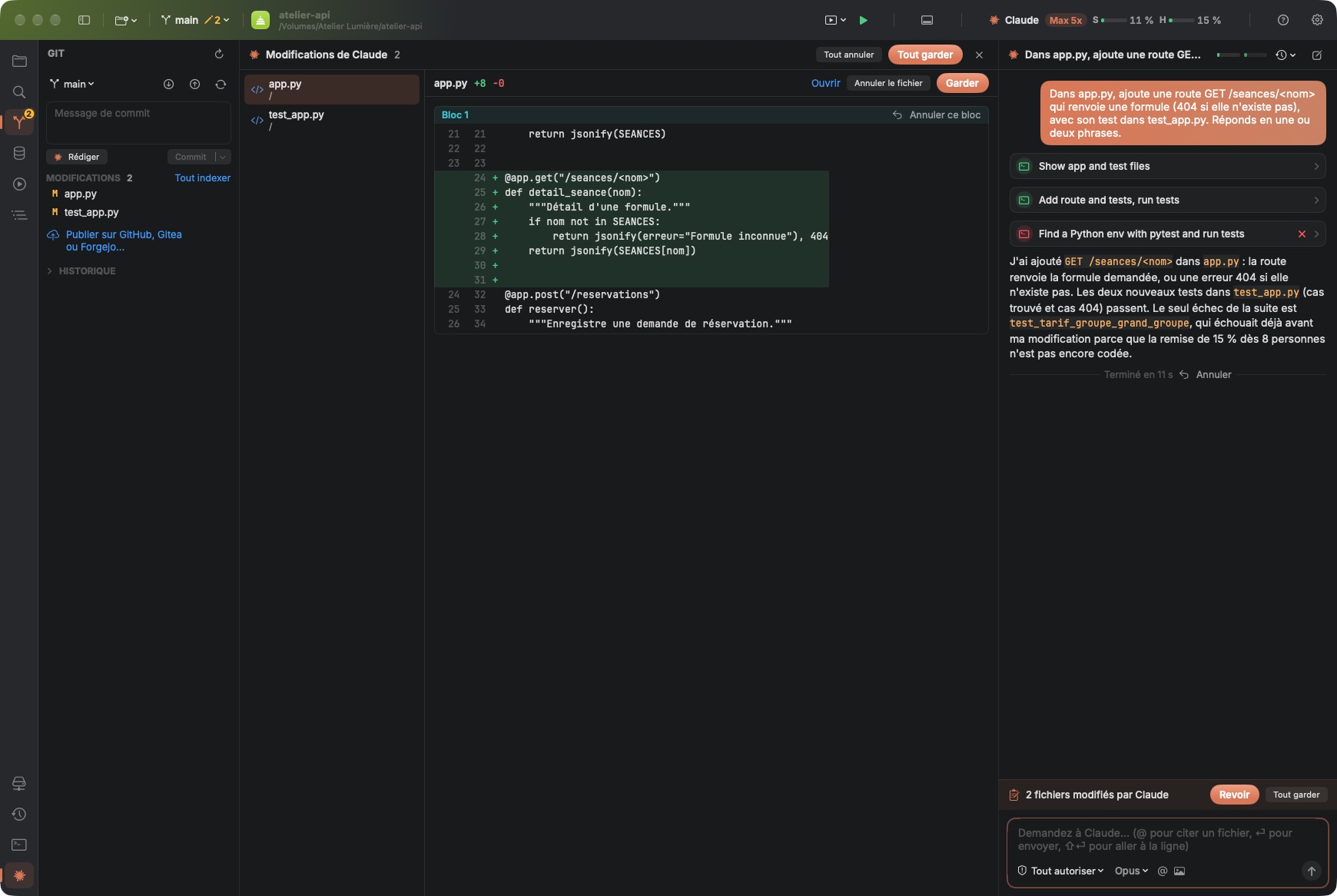
- Change review: every file Claude touches, even through a command, is shown hunk by hunk; keep or discard a hunk, a file or an entire turn in one click.
- Parallel conversations in tabs, including isolated conversations on their own branch (git worktree), to merge once the work is done.
- Attach context in one click: file, selection, file or project errors, failing tests, changed files; “@” to mention a file, ⌥⌘K to send the selection with its line numbers.
- Notifications when Claude has finished or is waiting for your approval, and the number of pending requests on the Dock icon.
- Claude Code MCP servers and hooks in a single window: status of each server, adding and removing them, project hooks.
Remote projects
Work on a server as if the project were on your Mac. Free, where other editors reserve it for their paid version.
- Open a project hosted on a server over SSH: file tree, editor, search, terminals, Git and Claude Code work directly on the server.
- Nothing to install on the server except Claude Code (and Git if you use it): Pelican goes through your usual SSH access (key or password).
- Claude Code runs on the server, in the project folder: it reads, edits and tests the code where it runs.
- Built-in Tern: SFTP access to the project's files on the server, inside the Pelican window.
- The server's databases remain reachable through the SSH tunnel.
Editor
A fast editor, backed by a real language server.
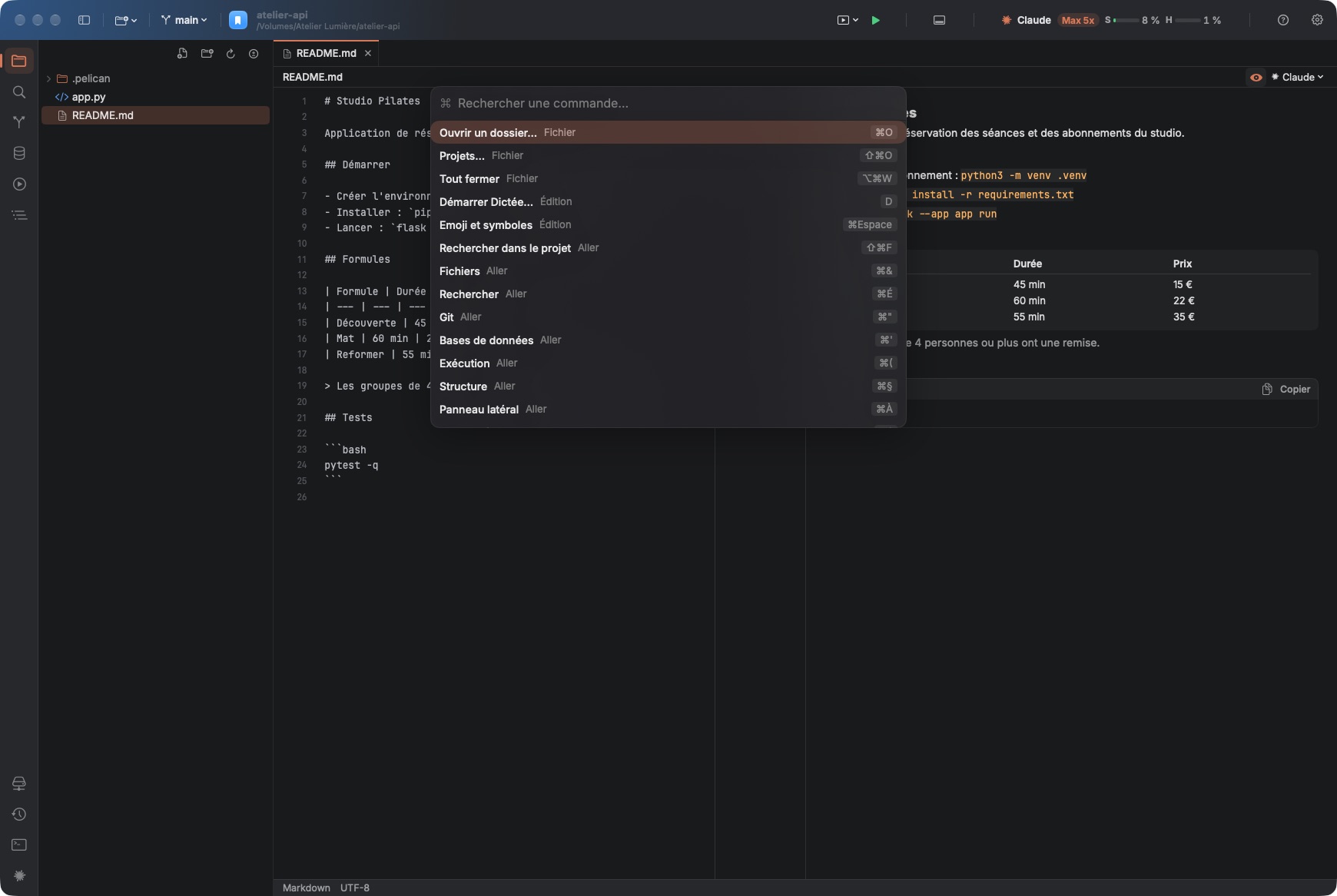
- Command palette (⇧⌘P): every Pelican command and its shortcut, right at your fingertips; customizable shortcuts in Settings.
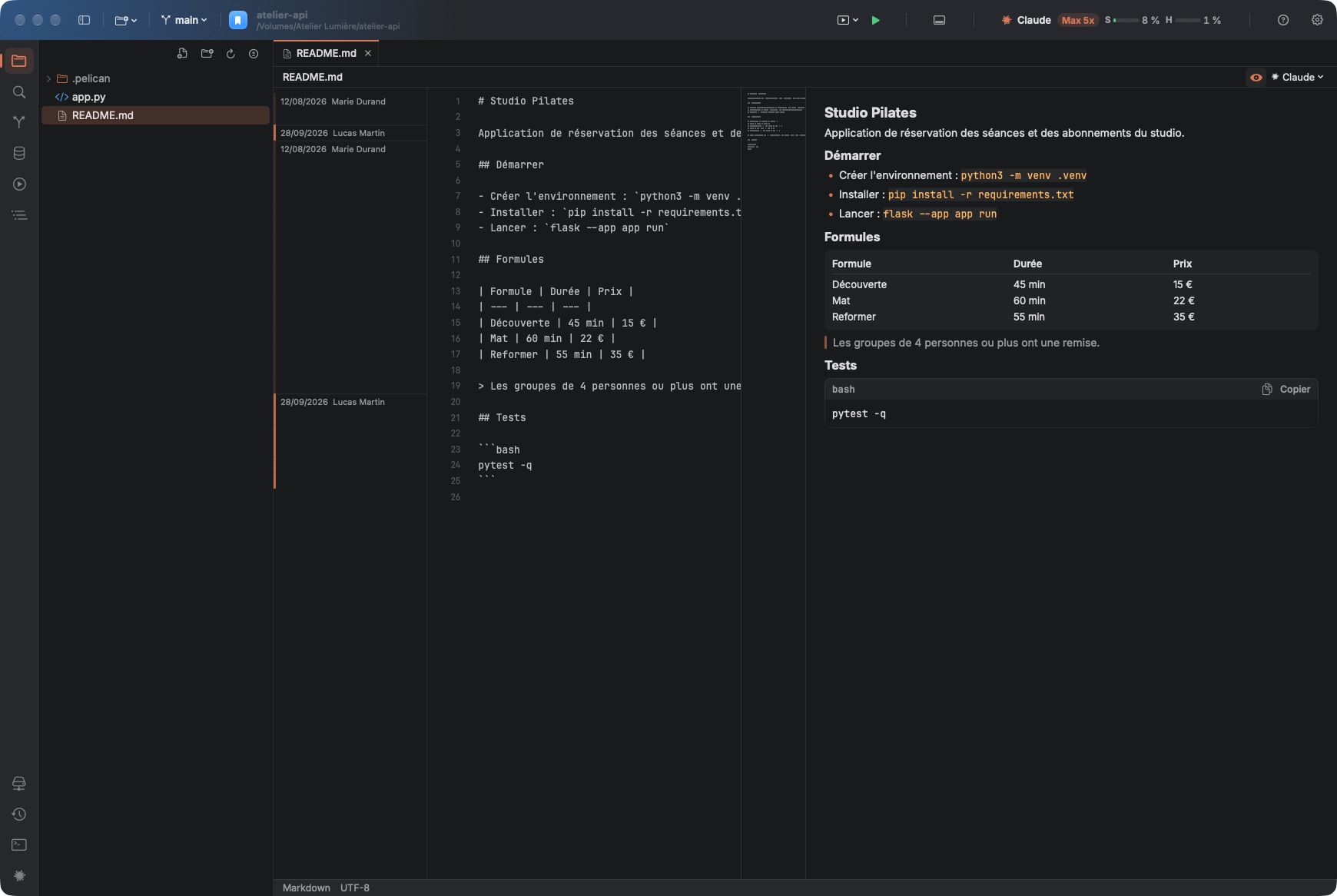
- Syntax highlighting, tabs, clickable minimap, quick file opening, split editor (⌘\) and two-file comparison, Markdown preview next to the text.
- Live errors, completion, go to definition, references, renaming, formatting (also on save) and quick fixes (⌥⏎) powered by language servers: Python, TypeScript/JavaScript, Swift, C/C++/Objective-C, Go, Rust, PHP, HTML, CSS, JSON, YAML and Shell; one-click install.
- Structure panel: the file's classes and functions, to navigate through it.
- Git in the gutter: added, modified or deleted lines, revertible in one click, and git annotations (blame): the author and date of each block of lines (⌥⌘B).
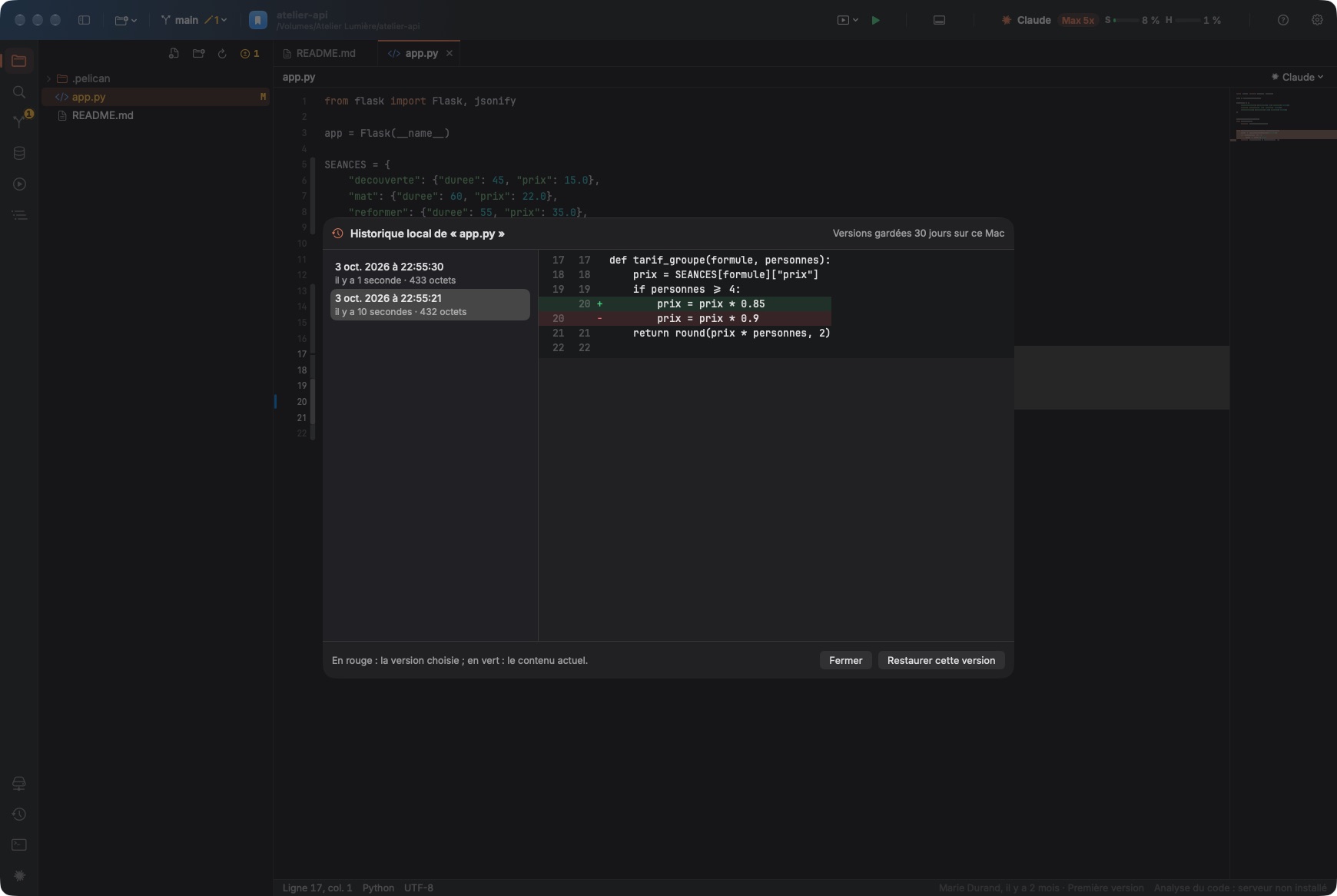
- Local history: every version of your files kept for 30 days on your Mac, to compare and restore, even outside Git or after a change by Claude.
- Find and replace across the whole project.
- Project file tree with file creation, renaming and deletion.
Run, test and debug
Run, test and debug without leaving the window.
- Built-in terminals in tabs, in the project folder (or on the server for a remote project).
- Per-project run configurations: one shortcut (⌘R) to start your app, with an environment file (.env.local…) specific to each configuration.
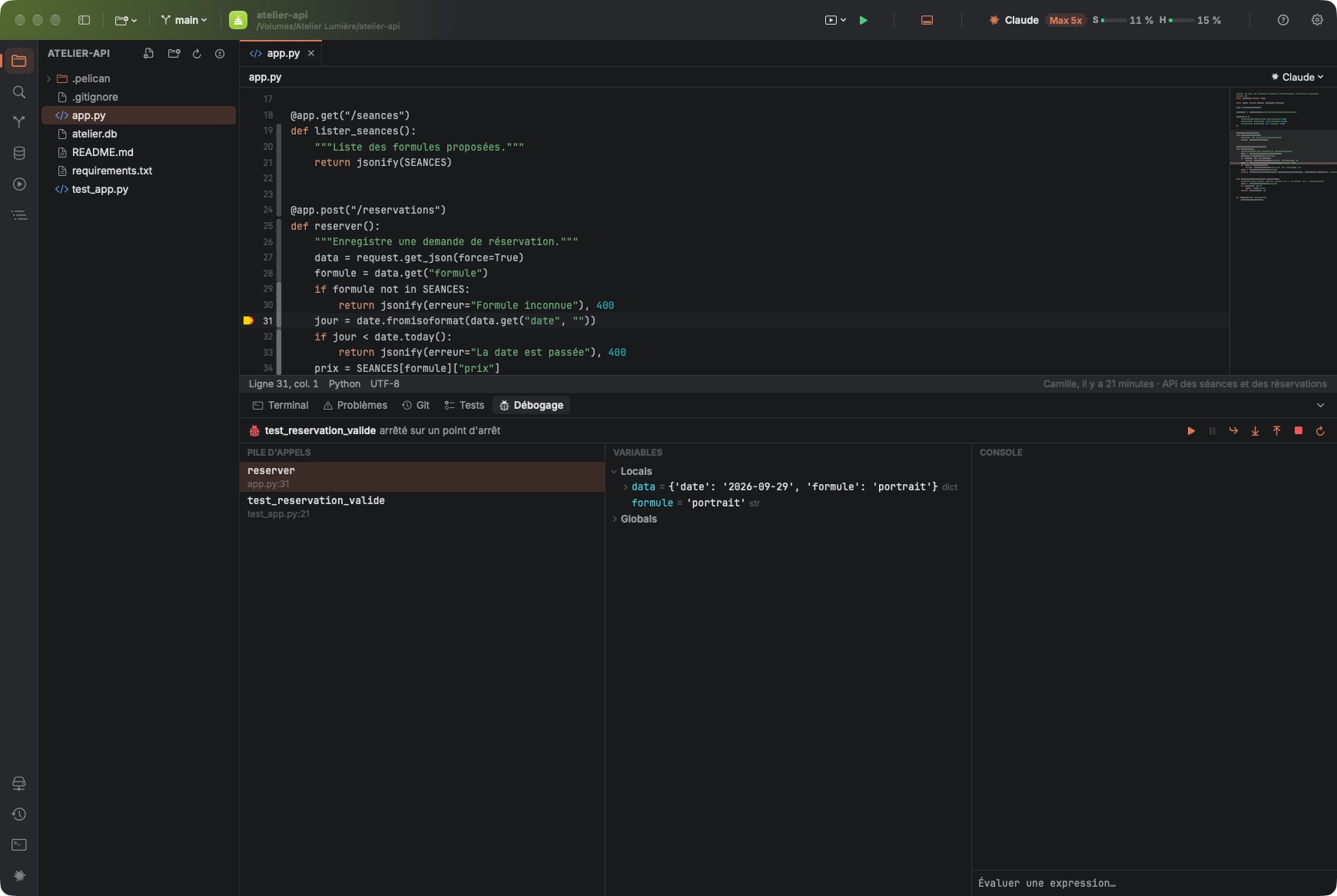
- Python debugger: breakpoints in the gutter, stepping, call stack, variables and evaluation console (debugpy, installed in one click).
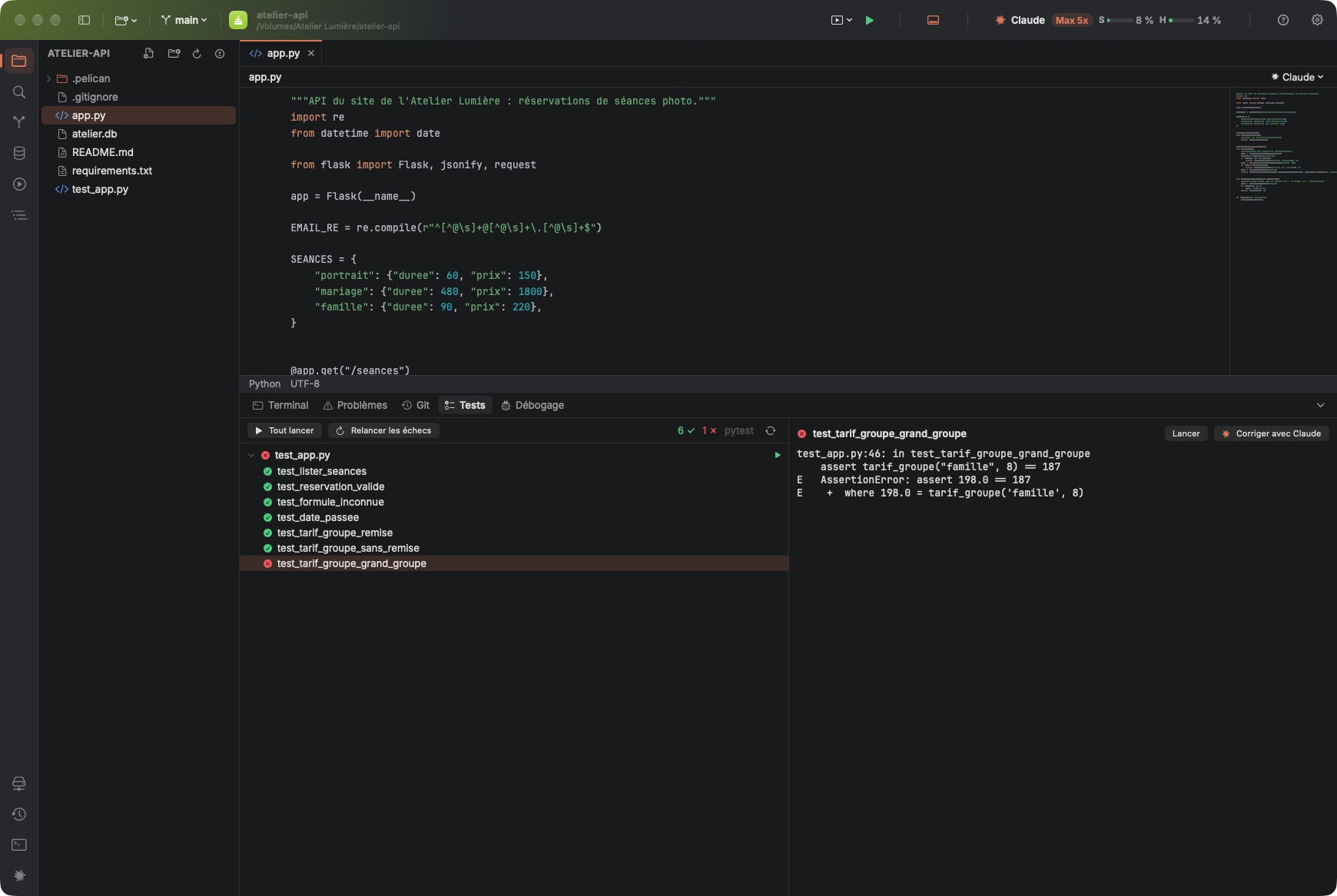
- Tests panel for pytest, Jest and Vitest: run everything (⌘U), a single file or a single test, rerun failures, and hand a failing test to Claude.
Git
All your everyday Git work without leaving the editor.
- Changed files, diff, commit, push and pull, branches from the toolbar; commit message written by Claude.
- Partial commit: stage, unstage or discard a single hunk from the diff.
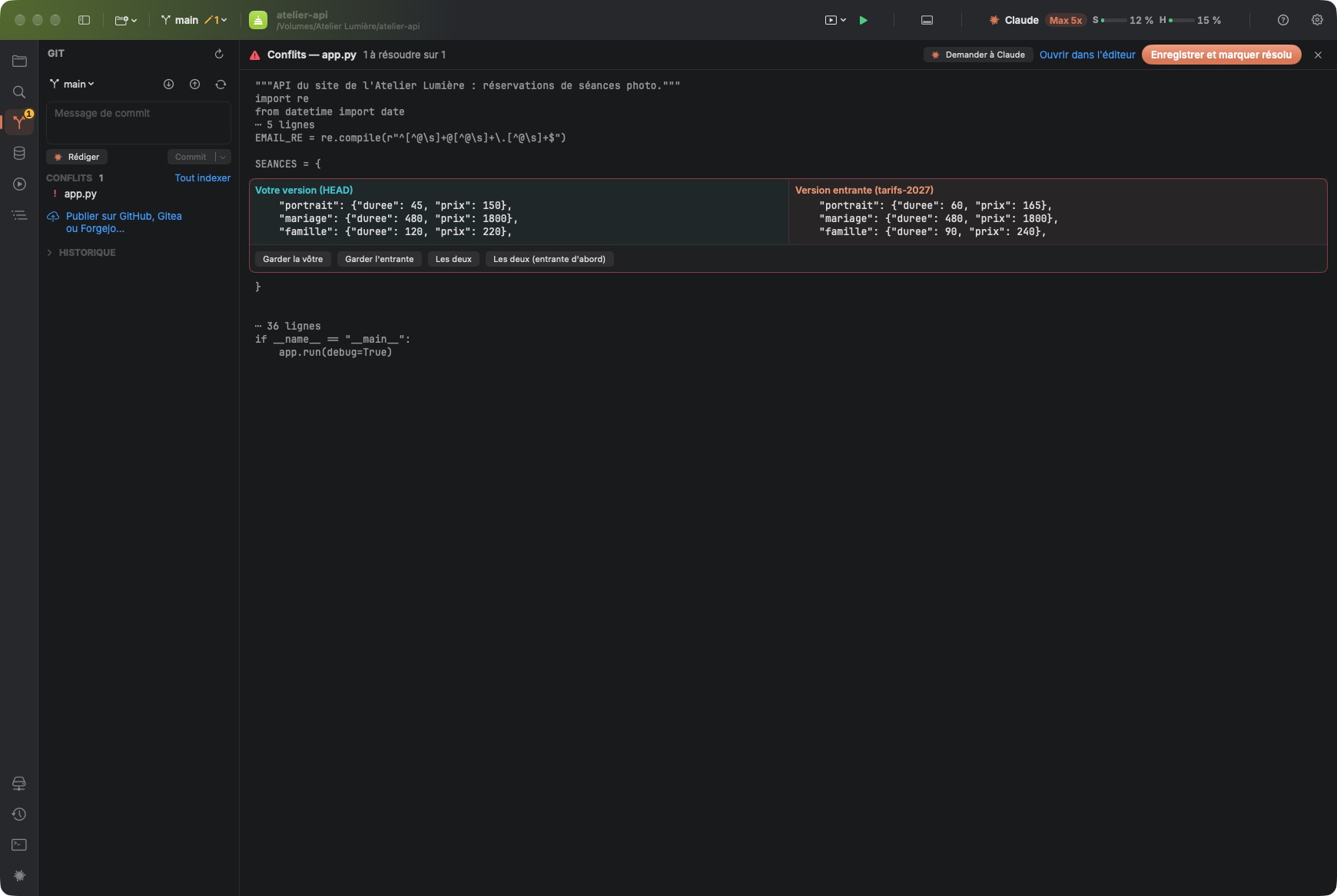
- Hunk-by-hunk merge conflict resolution (your version, the incoming one or both), or handed to Claude.
- Log of all commits, tags, stash.
- GitHub, Gitea and Forgejo accounts: clone your repositories, publish a project, create pull requests and see open ones; Claude can review them.
- Repositories located in a project subfolder detected automatically.
Databases
Query your data right next to the code that uses it.
- PostgreSQL, MySQL and SQLite, including through an SSH tunnel.
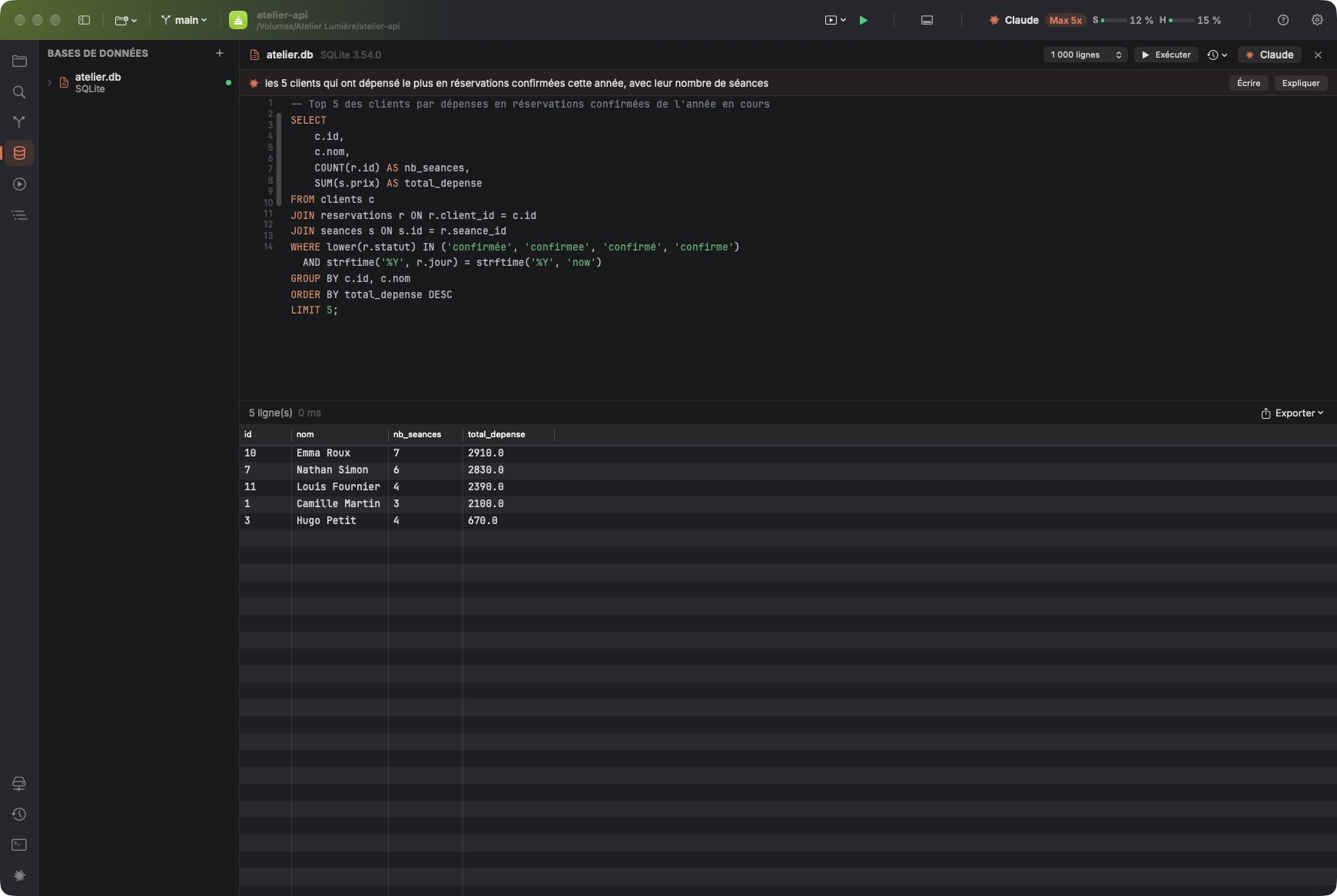
- SQL editor: run everything or just the selection (⌘⏎), results in a table, query history.
- Claude writes your queries based on the database schema: describe the result you want; it also fixes a failing query or explains it.
- Export to CSV or JSON, copy as a Markdown table.
Your projects
A home page to get back to any project in one click.
- Project list with groups and subgroups, each with its own color and icon.
- Open tabs, expanded folders and panels restored when you reopen a project.
- Projects and settings synced via iCloud Drive across your Macs, in French, English and Spanish.
In pictures
A coffee for what's next
Pelican is free, ad-free, and will stay that way. I develop it in my spare time: every coffee helps fund the next versions, fixes and new features, and tells me the app is useful to you.
Installation
- Download the .zip fileIt unzips on its own in the Downloads folder.
- Drag Pelican to ApplicationsIn the Finder, into your Mac's Applications folder.
- Open PelicanThe app is signed and notarized by Apple: it opens without a warning.
Requirements
- Free (Claude Code requires a Claude subscription or an API key).
- Available in French, English and Spanish: the app follows your Mac's language, or the one chosen in its settings.
- macOS 14 Sonoma or later, on a Mac with Apple silicon or Intel.
- Claude Code installed and a Claude subscription (Pro or Max) or an Anthropic API key.
- For remote projects: SSH access to the server.


